


Papa Murphy’s Pizza
4.08.12K Reviews
App Specs
- Version
- 26.1.2026020401
- Updated On
- License
- Free
- Downloads
- 1,000,000+
- Developer
- Papa Murphy's
- Categories
- Food & Drink
- Platform
- Android, iOS
Screenshots
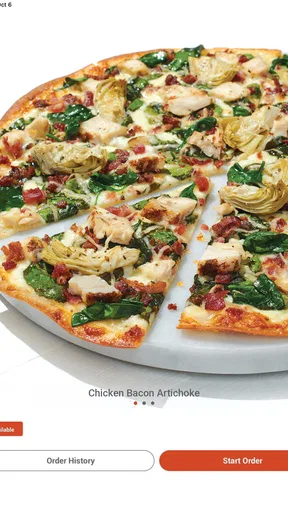
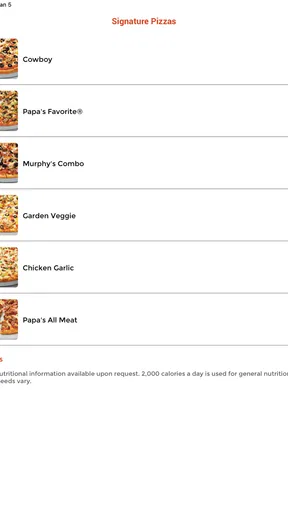
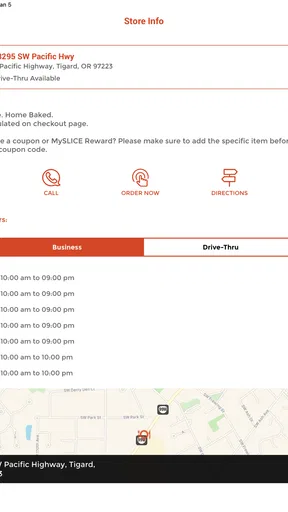
 Analysis by AppCompare
When I want pizza without making dough or waiting for a cooked delivery, a take-and-bake order can be a useful middle ground. Papa Murphy’s Pizza is built around that routine: use the app to arrange an order, then finish the pizza at home. The key question for me is whether that extra oven step suits your evening better than ordering ready-to-eat food.
What the free download does—and does not—tell you about cost
The app is free to download, which makes trying its ordering and rewards tools a low-commitment choice. That is different from saying the pizza itself is free or that every order is inexpensive. Food prices, delivery charges where applicable, and the value of any promotion are separate considerations; I would check the total shown for the selected location before deciding.
That distinction matters when comparing it with a delivery app or a nearby pizza shop. The useful comparison is the final cost for the meal you actually want, not simply whether the ordering app charges for access. Papa Murphy’s is made for ordering from its own locations, while a broad delivery marketplace may put several restaurants side by side. If choice across restaurants matters more than this particular take-and-bake style, the marketplace may be the better starting point.
Make the home-baking step work for your evening
The main trade-off is practical: the pizza arrives uncooked, so pickup does not mean dinner is ready the moment you walk in. I see that as a good fit when I can put the oven on while unpacking groceries or setting the table. It is less appealing when everyone is hungry now, the oven is already in use, or I would rather avoid cooking altogether.
A small planning habit helps: decide when you want to eat before choosing pickup, and leave enough room for the trip home and baking. If dinner needs to be ready at a fixed time, I would not treat the pickup estimate as the whole schedule. The app can make placing the order more convenient, but it cannot remove the time needed to finish the pizza at home.
Useful ordering habits for groups and repeat meals
Customization is especially handy when one household order has to satisfy different preferences. Instead of trying to remember every topping while ordering at a counter, I can review the choices on screen and check the combination before moving on. For a group, it is still worth confirming what everyone wants first; a long list of options can make last-minute decisions slower rather than easier.
For a repeat order, saved order history can cut down on rebuilding a familiar combination. I would still review the details each time, particularly if I am ordering for someone with a specific dietary need. A previous favorite is a shortcut, not a substitute for checking what is in the current order.
Worth Reading Before You Choose

EA SPORTS FC Mobile 26 Is a Bigger Football Game, but It Takes Time

Flipboard Shows What News Apps Must Do Beyond the Feed

Switching to Android Auto Means Rethinking Your Driving Routine

Google Calendar Makes a Crowded Week Easier to Manage

Ludo King Makes the Most of the Minutes Between Plans

Baby Panda World Brings Quick Play to Modern Phones, but Its Game Library Feels Busy
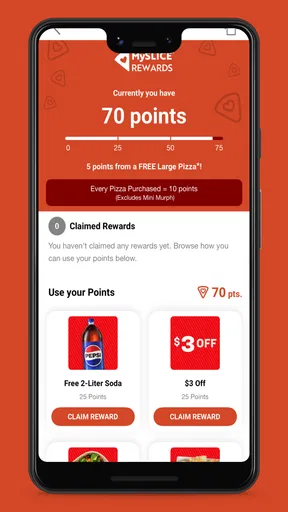
The rewards feature is most relevant to people who already expect to order from Papa Murphy’s more than occasionally. Before placing an order, I would look at the rewards balance and available offers, then compare the value with the meal I planned to buy. A promotion is only useful if it fits the order; adding food just to chase a deal can make the total less sensible.
Who is likely to get the most value
I would recommend giving the app a try if you like Papa Murphy’s pizza, want to customize a pickup order, and are happy to bake it yourself. It can also suit a household that orders the same combination regularly, since order history and rewards give repeat customers practical reasons to use the dedicated app rather than start from scratch elsewhere.
I would skip it if you need an immediate, ready-to-eat meal, prefer having several restaurant brands in one cart, or do not want to use an oven. In those situations, a cooked pizza from a local restaurant or a delivery service may fit better. The right choice depends on whether you value the take-and-bake routine enough to accept the extra step.
Getting Started with Papa Murphy’s
First things first, downloading the Papa Murphy’s Pizza app is a breeze. It's available on both Android and iOS, and setting it up is as simple as pie. Once you open the app, you’re greeted with a clean and intuitive interface. Everything is neatly organized, making it easy even for those of us who aren’t exactly tech-savvy.
Creating an account is straightforward. You can either sign up using your email or go the easy route and log in via Google or Facebook. I personally went with the Google option because, honestly, who has time to remember another password?
Browsing the Menu
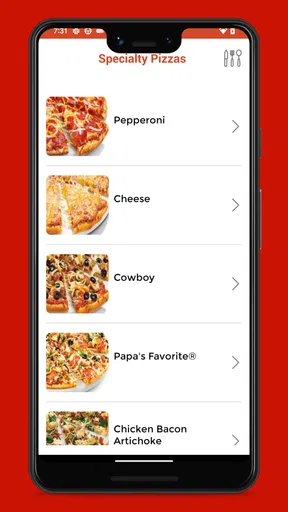
Once you’re in, the real fun begins. The menu is extensive, offering a wide range of pizzas, sides, and desserts. What sets this app apart is the ability to customize your pizza to your heart's content. Whether you’re a meat lover or a veggie enthusiast, there’s something for everyone. The app even caters to those with dietary restrictions, offering gluten-free crusts and vegetarian options.
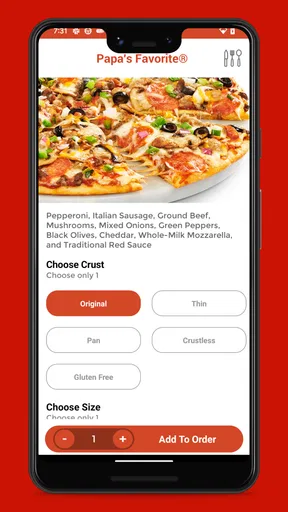
The customization interface is smooth. You can easily add or remove toppings, select your preferred crust type, and even choose the amount of cheese and sauce. It’s like having a virtual pizza artist at your fingertips.
Ordering and Payment Process
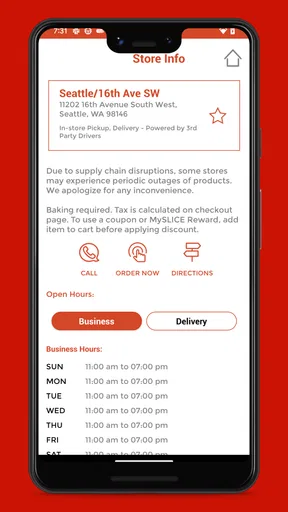
Once you’ve crafted your perfect pizza, the ordering process is just as seamless. You can choose to pick up your pizza at the nearest Papa Murphy’s store or have it delivered. I opted for pickup, and the app provided a handy map with directions to the closest location.
Payment options are flexible, with support for credit cards, Apple Pay, and Google Pay. I appreciate that the app stores previous orders, making reordering a breeze if you have a favorite combo you like to stick to.
The Take and Bake Experience
The concept of "take and bake" is what makes Papa Murphy’s unique. You pick up your uncooked pizza and bake it at home. This might sound like extra work, but trust me, it’s worth it. The app provides detailed baking instructions, ensuring your pizza turns out perfectly crisp and delicious every time.
There’s something incredibly satisfying about the aroma of fresh pizza wafting through your home, and knowing you had a hand in making it (even if it was just popping it in the oven).
Loyalty Program and Deals
If you’re a frequent pizza enthusiast like me, the app’s loyalty program is a sweet deal. Every order earns you points that can be redeemed for free items. The app also offers exclusive deals and discounts, which is always a nice bonus.
Notifications about upcoming promotions and new menu items keep you in the loop, ensuring you never miss out on a great deal.
App fit, reliability, and my verdict
Papa Murphy’s is a food-and-drink app from Papa Murphy’s, and its role is deliberately focused: it connects the restaurant’s menu, ordering, and rewards experience. It has a 3.9 average from around 18,000 ratings, with roughly 8,000 written reviews and over a million installs. Those figures suggest an established audience, but they do not tell me whether a particular store is convenient or whether the take-and-bake routine suits every customer.
The app is free and rated for everyone. It was released on September 4, 2018, and its current version is 26.1.2026020401, with Android 10 as the minimum operating-system requirement. For a prospective user, the practical point is simple: check compatibility and confirm that a participating location works for your plans before building an order around it.
In an ordinary weeknight scenario, I might choose a customized pizza for a family meal, place the pickup order before leaving work, collect it on the way home, and bake it while everyone gets settled. That workflow can reduce counter-side decision-making and make the meal feel fresher than a pizza that has been sitting ready for delivery. But if traffic, a busy oven, or a tight bedtime schedule makes the timing uncertain, a cooked meal is the safer choice.
One useful way to avoid friction is to settle the group’s preferences before opening the customization screen. Then use the menu to build the order deliberately, rather than treating every topping choice as a fresh debate. For repeat meals, order history can help, but I would still inspect the saved choices and the final total before submitting; convenience should not turn into an accidental duplicate or an order that no longer suits the occasion.
I would also treat rewards and notifications as optional conveniences, not the reason to order. Check an offer when you already intend to buy, and decide whether it genuinely improves that meal. If you rarely visit Papa Murphy’s, rewards may have little practical value compared with simply choosing the restaurant and ordering method that best fit your location and schedule.
My overall view is that the app makes the most sense for customers who want Papa Murphy’s specifically and are comfortable completing the cooking at home. It is less compelling as a general pizza-discovery tool, because its purpose is tied to one restaurant rather than comparing a range of local kitchens. For an easy-to-customize take-and-bake order, it is a sensible option; for instant dinner or broad restaurant choice, I would look elsewhere.
Final Thoughts
All in all, the Papa Murphy’s Pizza app is a fantastic tool for any pizza lover. It combines convenience with quality, allowing you to enjoy fresh, customizable pizza without the fuss of traditional fast food. The app is user-friendly, the menu is diverse, and the loyalty program adds a nice touch.
If you’re looking for a way to spice up your dinner routine without breaking the bank, give this app a try. You might just find yourself saying goodbye to your usual pizza joint and hello to the joys of take and bake.
Pros
- User-friendly interface for easy navigation.
- Customizable pizza options for personal taste.
- Loyalty rewards program for frequent buyers.
- Detailed nutritional information available.
- Quick order history for repeat purchases.
Cons
- Limited delivery options in some areas.
- App occasionally lags during peak times.
- No option for cash on delivery.
- Limited customization on some deals.
- Requires account creation to order.
FAQs for Papa Murphy’s Pizza
What features does the Papa Murphy’s Pizza app offer?
The Papa Murphy’s Pizza app provides a convenient way to order your favorite pizzas directly from your phone. It offers features such as menu browsing, customization options for your pizza, exclusive deals and discounts, and the ability to track your order. Additionally, the app allows you to find the nearest location and save your favorite orders for quick access next time.
Is the Papa Murphy’s Pizza app available on both Android and iOS?
Yes, the Papa Murphy’s Pizza app is available for download on both Android and iOS platforms. You can find it on the Google Play Store for Android devices and the Apple App Store for iOS devices, making it accessible to a wide range of users who want to enjoy the convenience of mobile ordering.
How user-friendly is the Papa Murphy’s Pizza app interface?
The Papa Murphy’s Pizza app is designed with user-friendliness in mind. It features a clean and intuitive interface that makes navigation simple. Users can easily browse the menu, customize their orders, and apply discounts. The app also includes clear instructions and helpful prompts to guide users through the ordering process seamlessly.
Are there any exclusive offers available through the Papa Murphy’s Pizza app?
Yes, the Papa Murphy’s Pizza app frequently provides users with exclusive offers and discounts that are not available through other ordering methods. By using the app, you can access special promotions and deals, which can be a great way to save money on your favorite pizzas and sides. Notifications keep you updated on the latest offers.
Can I customize my pizza order within the app?
Absolutely, the Papa Murphy’s Pizza app offers extensive customization options for your pizza orders. You can choose from a variety of crusts, sauces, and toppings to create your perfect pizza. The app also allows you to save your customized orders, making it easy to reorder your favorite combinations with just a few taps.


